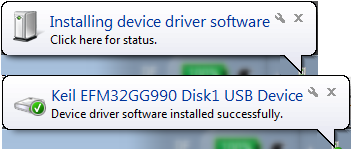

Use the links on this page to download the latest version of USB Mass Storage Device drivers. All drivers available for download have been scanned by antivirus program. Please choose the relevant version according to your computer's operating system and click the download button.

How to Repair Corrupt USB Mass Storage or CD/DVD Drivers
For some unknown reason, I've been seeing cases where USB Mass Storage or CD/DVD driver files go missing. This corrupts the respective driver.
- USB Mass Storage Driver - used for external USB storage devices like flash drives, hard disks, and USB CD/DVD drives.
- CD/DVD Driver - used for CD/DVD players. If you have a USB CD/DVD note that Windows installs the USB Mass Storage driver first. Only after the Mass Storage driver is installed and working correctly, Windows installs the CD/DVD driver. If it's an internal CD/DVD drive Windows only installs the CD/DVD driver for it
When driver files are missing, the driver is corrupt and can't be installed. Device Manager will have an entry with a yellow icon - indicating a device error. The device may be listed under "Other Devices" or other places in Device Manager.
Right click the device ->Properties->General tab. If error is because no driver could be found, you'll see device status code= 28
The following instructions apply to Windows Vista and higher.
Right click the device ->Properties->General tab. If error is because no driver could be found, you'll see device status code= 28
The following instructions apply to Windows Vista and higher.
It will be easier to follow instructions if you can easily see Windows file extensions
> Click Control Panel->Folder Options->View
> Uncheck "Hide extensions for known file types". Click OK
> Click Control Panel->Folder Options->View
> Uncheck "Hide extensions for known file types". Click OK
USB Mass Storage Driver
These 3 files should exist (or the driver is corrupt)
- C:\Windows\inf\usbstor.inf
- C:\Windows\inf\usbstor.pnf
- C:\Windows\system32\drivers\usbstor.sys
If one or more of these files are missing
- Navigate to C:\Windows\System32\DriverStore\FileRepository
- Scroll down. Find the folder name that starts with usbstor.inf_
- You may see more then one folder with name starting usbstor.inf_. IF YOU DO: you want the folder with the most recent date
- Open the folder. There's a copy of the 3 files you need. Copy each one to its correct location as shown above
- Jump to the instructions below to delete the INFCACHE.1 file
CD/DVD Driver
These 3 files should exist (or the driver is corrupt)
These 3 files should exist (or the driver is corrupt)
- C:\Windows\inf\cdrom.inf
- C:\Windows\inf\cdrom.pnf
- C:\Windows\system32\drivers\cdrom.sys
If one or more of these files are missing
- Navigate to C:\Windows\System32\DriverStore\FileRepository
- Scroll down. Find the folder name that starts with cdrom.inf_
- You may see more then one folder with name starting cdrom.inf_. IF YOU DO: you want the folder with the most recent date
- Open the folder. There's a copy of the 3 files you need. Copy each one to its correct location as shown above
- Jump to the instructions below to delete the INFCACHE.1 file
Delete the INFCACHE.1 file
- See Add "Take Ownership" to Explorer Right-Click Menu in Win 7, 8 or Vista. (I recommend the easiest way to do this: use the Take Ownership.zip file they provide to update the registry for you)
- Navigate to C:\Windows\System32\DriverStore
- Right click INFCACHE.1 Select "Take Ownership" in the context menu
- Delete INFCACHE.1. Reboot your computer
Windows will rebuild the INFCACHE.1 file and (hopefully <fingers crossed>) be able to find and install the device driver for you!

ความคิดเห็น
แสดงความคิดเห็น